
Kindle Paperwhite (2021) Review: The Best E-Reader
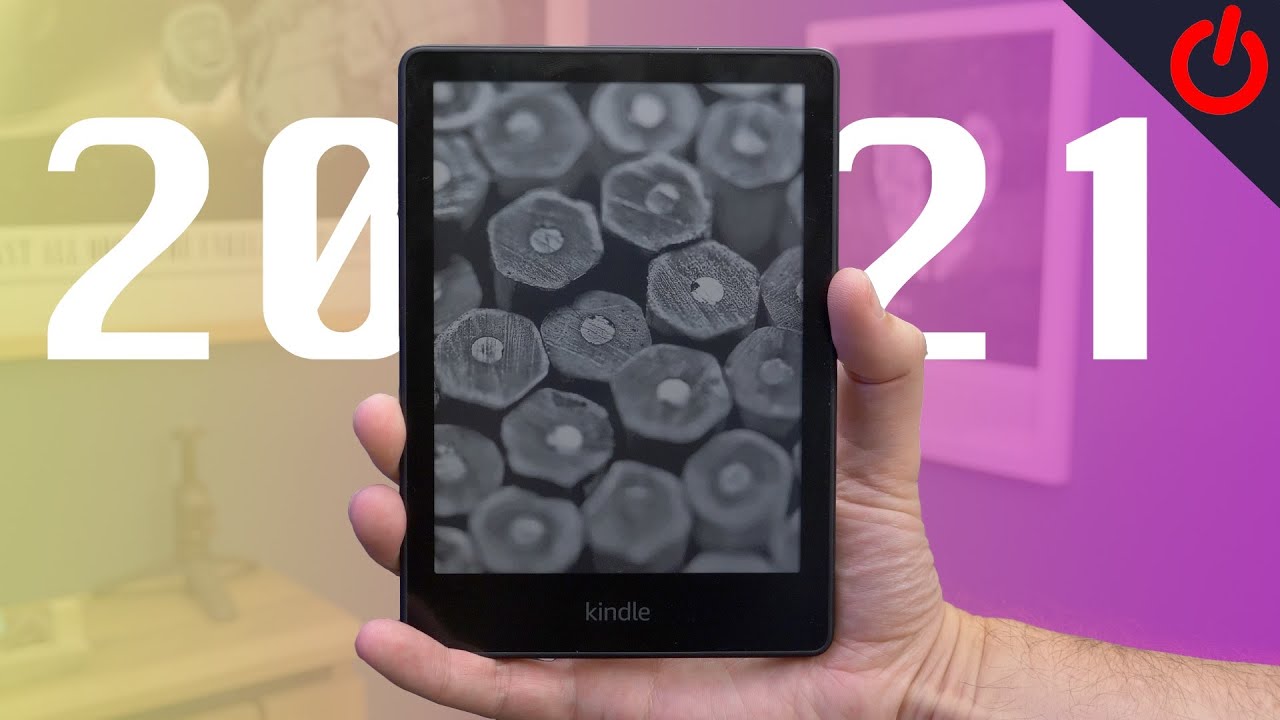
📺 Video review by Pocket-lint
See today’s price and availability
Quick Verdict
Pros
- Larger 6.8-inch display
- USB-C charging
- Adjustable warm light
- Waterproof (IPX8)
- Fast page turns
Cons
- Power button is on the bottom
- No wireless charging (Standard model)
- Price increased slightly
The Kindle Paperwhite (2021), the 11th generation of Amazon’s mid-range e-reader, is widely considered the gold standard for digital reading. Bridging the gap between the budget vanilla Kindle and the premium Oasis, the new Paperwhite offers a suite of premium features including a larger screen, warm light adjustment, and USB-C charging. In this detailed review, we explore whether it remains the king of e-readers.
Display: Bigger, Brighter, Better
The most immediately noticeable upgrade is the screen size. Up directly from 6 inches to 6.8 inches, the new E Ink Carta 1200 display offers 17% more screen real estate. This might sound minor on paper, but in practice, it means fewer page turns and a more book-like experience. The bezels have been slimmed down efficiently, giving the device a modern, sleek look with a flush-front design that prevents dust and lint from getting trapped in the corners.
The resolution remains a crisp 300 PPI (pixels per inch), ensuring that text looks laser-sharp at any size. Ghosting, the faint remnant of previous text, is virtually non-existent thanks to faster page turn speeds. Speaking of speed, the new processor combined with the updated E Ink technology results in page turns that are 20% faster than the previous generation.
The Game Changer: Adjustable Warm Light
Previously reserved for the expensive Kindle Oasis, the adjustable warm light has finally trickled down to the Paperwhite. You can shift the screen temperature from a cool white to a warm amber. This is a game-changer for night time readers. The amber light is far easier on the eyes in dark environments and supposedly disrupts sleep patterns less than blue-rich white light.
You can schedule the warm light to turn on automatically with sunset and sunrise, or set custom hours. Once you get used to reading with a warm tint at night, going back to a standard backlit screen feels jarring.
Battery Life and USB-C
Finally, Amazon has ditched Micro-USB! The 2021 Paperwhite charges via USB-C, meaning you can use the same cable as your phone, laptop, and tablet. It’s a small convenience that removes a major friction point.
Battery life is improved, with Amazon claiming up to 10 weeks on a single charge based on 30 minutes of reading a day with wireless off and light setting at 13. In our testing, even with heavy use (2-3 hours a day) and high brightness, the device easily lasted three weeks with 40% battery remaining. It is a device you truly treat like a book; you pick it up and read without worrying if it has power.
Ergonomics and Build
The device weighs 205g, slightly heavier than the previous model, but the weight distribution is excellent. The rubberized back provides a secure grip, though it is a fingerprint magnet. The only ergonomic gripe is the power button location on the bottom edge. It is easy to accidentally press when resting the device on your pinky or a table, putting the device to sleep mid-sentence.
The Paperwhite is rated IPX8 waterproof, meaning it can withstand immersion in two meters of fresh water for up to 60 minutes. Reading in the bath or by the pool is completely stress-free.
Software and Ecosystem
The Kindle software has seen a UI overhaul recently. The home screen is less cluttered, focusing more on your library and current reads rather than pushing store recommendations (though they are still there). Navigation is swipe-based, which feels natural on a touchscreen device.
See today’s price and availability
The ecosystem remains Amazon's strongest moat. Kindle Unlimited, Prime Reading, and the seamless integration with Audible make content consumption effortless. You can pair Bluetooth headphones and switch between reading on the Kindle and listening to the audiobook, with "Whispersync" keeping your place perfectly.
Technical Specifications
| Display | 6.8" E Ink Carta 1200, 300 PPI |
| Dimensions | 6.9" x 4.9" x 0.32" |
| Weight | 7.2 oz (205g) |
| Storage | 8GB or 16GB |
| Battery Life | Up to 10 weeks |
| Waterproof Rating | IPX8 (2m for 60 min) |
| Charging | USB-C |
Kindle Paperwhite vs Kindle Scribe: Which is Right for You?
| Feature | Kindle Paperwhite | Kindle Scribe |
|---|---|---|
| Price | $139.99 | $499.99 |
| Display Size | 6.8" | ⭐ 10.2" (50% larger) |
| Weight | ⭐ 205g (lighter) | 400g |
| Note-Taking | ❌ No | ⭐ Yes (Premium Pen) |
| Storage | 8GB or 16GB | ⭐ 32GB or 64GB |
| USB-C | ✅ Yes | ✅ Yes |
| Waterproof | ⭐ IPX8 | ❌ No |
| AI Features | ❌ No | ⭐ Handwriting to text, summaries |
| Best For | Reading novels, portability | Note-taking, PDFs, students |
Verdict: Get Paperwhite if you only read books; upgrade to Scribe if you take notes or annotate PDFs.
Who Should NOT Buy the Kindle Paperwhite
Skip the Kindle Paperwhite if you:
- Take extensive handwritten notes - Get the Kindle Scribe with Premium Pen instead
- Read primarily PDFs or technical documents - The larger Kindle Scribe or tablet is better
- Prefer physical books - No e-reader can replace the tactile experience
- Need color display - Consider the Kindle Colorsoft or tablets
- Want to read library books exclusively - Check if your library supports Kindle format
Frequently Asked Questions
Can I read library books on Kindle Paperwhite?
Yes, if your library uses OverDrive/Libby and supports Kindle format. Borrow books through the Libby app and send them directly to your Kindle via Amazon.
How many books can the 8GB model hold?
Approximately 2,000-3,000 books, depending on file size. The 16GB model holds roughly double. Most readers never fill even the 8GB model.
Does it work in bright sunlight?
Yes, the glare-free E Ink display is specifically designed for outdoor reading, even in direct sunlight, unlike tablets or phones with glossy screens.
Can I read PDFs and Word documents?
Yes, but formatting can be challenging on the 6.8" screen. For extensive PDF reading, consider the Kindle Scribe with its 10.2" display.
Alternative Options to Consider
- Kindle Scribe - For note-takers and PDF readers who need a larger 10.2" screen with stylus support ($499)
- Kindle Basic - Budget option with smaller 6" screen, no warm light or waterproofing ($99)
- Kindle Paperwhite Signature Edition - Adds wireless charging and auto-adjusting brightness ($189)
- Kobo Libra 2 - If you prefer non-Amazon ecosystem with OverDrive integration
Conclusion
The 2021 Kindle Paperwhite is nearly perfect. It addresses almost every complaint users had with previous models. The screen is gorgeous, the warm light is soothing, and USB-C brings it into the modern era. While the Signature Edition exists with wireless charging and auto-adjusting brightness, most users will find everything they need in the standard Paperwhite.
For professionals and note-takers, consider upgrading to the Kindle Scribe with its 10.2" display and Premium Pen. Otherwise, the Paperwhite is quite simply the best e-reader for the vast majority of people.
Availability
View on AmazonSee today’s price and availability
As an Amazon Associate, we earn from qualifying purchases.