
iPad Pro M5 Review: The Ultimate Tablet Experience
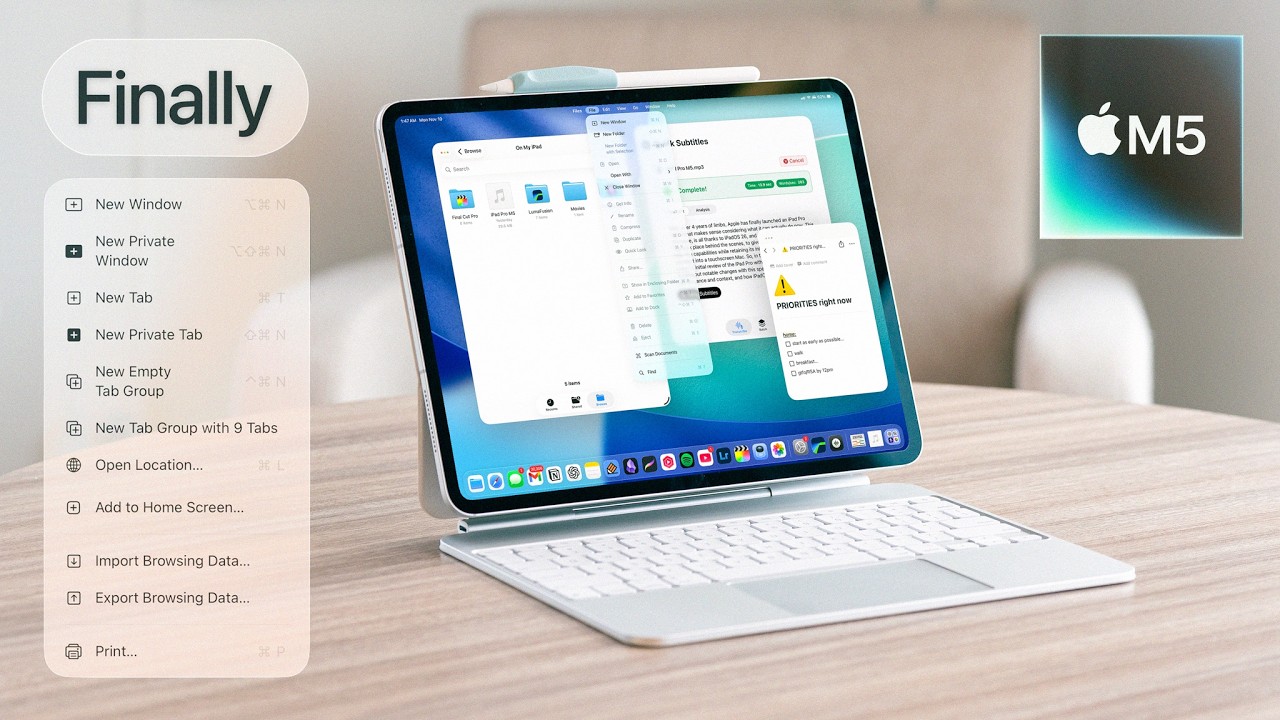
📺 Video review by Noah Herman
See today’s price and availability
Quick Verdict
Pros
- M5 chip delivers desktop-class performance
- Stunning Ultra Retina XDR tandem OLED display
- Incredibly thin at just 5.1mm
- Thunderbolt 4 port for pro connectivity
- Apple Pencil Pro with haptic feedback
- Face ID works in any orientation
- Outstanding speakers with Spatial Audio
- All-day battery life
Cons
- Extremely expensive, especially with accessories
- iPadOS still limits professional workflows
- Magic Keyboard sold separately at high cost
- No calculator app (still!)
- Overkill for casual users
Introduction
The iPad Pro has always been about pushing boundaries, and with the M5 chip, Apple has created a tablet more powerful than most laptops. The 2025 iPad Pro M5 combines incredible processing power with a revolutionary tandem OLED display and the thinnest design yet, all while maintaining the versatility that makes iPad unique.
But with a starting price that rivals MacBooks, the question remains: who is the iPad Pro M5 actually for? Let's find out.
Design and Build
The iPad Pro M5 is an engineering marvel. At just 5.1mm thin for the 13-inch model, it's thinner than the original iPod and feels almost impossibly light in your hands. Apple achieved this through the tandem OLED technology and refined internal architecture.
The titanium frame, borrowed from iPhone 17 Pro, adds durability without significant weight. The Space Black and Silver finishes look premium, and the matte nano-texture display option eliminates glare for creative professionals.
Available in 11-inch and 13-inch sizes, both models feature the same powerful internals. The larger model is ideal for creative work and media consumption, while the smaller remains more portable.
Display Technology
The Ultra Retina XDR display is the best screen on any tablet, period. The tandem OLED technology uses two OLED panels stacked together, delivering unprecedented brightness and color accuracy:
- Peak HDR Brightness: 1600 nits
- SDR Brightness: 1000 nits
- Contrast Ratio: 2,000,000:1
- Color Accuracy: P3 wide color gamut
- Refresh Rate: ProMotion up to 120Hz
For photographers, video editors, and digital artists, this display is transformative. Colors are accurate enough for professional color grading, and the OLED blacks make content pop in ways LCD never could.
M5 Chip Performance
The M5 chip brings desktop-class performance to iPad Pro. Built on a cutting-edge 2nm process, it offers significant improvements over the M4:
| Specification | iPad Pro M5 | iPad Pro M4 |
|---|---|---|
| CPU Cores | 12-core (4P + 8E) | 10-core (4P + 6E) |
| GPU Cores | 12-core | 10-core |
| Neural Engine | 18-core (45 TOPS) | 16-core (38 TOPS) |
| Memory Bandwidth | 150 GB/s | 120 GB/s |
| Base RAM | 16GB | 8GB |
| Max RAM | 32GB (1TB+ models) | 16GB (1TB+ models) |
| Storage Options | 256GB - 2TB | 256GB - 2TB |
In benchmarks, the M5 iPad Pro rivals and sometimes exceeds the performance of the M5 MacBook Air. Apps like Procreate, LumaFusion, and DaVinci Resolve run flawlessly, handling 4K video editing and complex 3D modeling without breaking a sweat.
iPad Pro M5 vs MacBook Air M5
The eternal debate: should you buy an iPad Pro or a MacBook? Here's how they compare:
| Feature | iPad Pro 13" M5 | MacBook Air M5 |
|---|---|---|
| Starting Price | $1,299 | $1,099 |
| With Keyboard | $1,598 (Magic Keyboard) | $1,099 (included) |
| Display | OLED, 1600 nits, touch | LCD, 500 nits, no touch |
| Weight | 579g (tablet only) | 1.24kg |
| Touch/Pencil | Yes, Apple Pencil Pro | No |
| Operating System | iPadOS 19 | macOS Sequoia |
| Pro Apps | Limited (no Final Cut, Logic) | Full desktop apps |
| Best For | Artists, note-takers, media | Traditional productivity |
If you need Apple Pencil for drawing, note-taking, or design work, the iPad Pro is unmatched. If you need a traditional laptop experience with full macOS applications, the MacBook Air remains the better choice. Many professionals own both.
Apple Pencil Pro
The Apple Pencil Pro, sold separately at $129, is the best stylus ever made. New features include:
- Squeeze Gesture: Squeeze the barrel to access tools or color palettes
- Barrel Roll: Rotate the pencil to change brush angle
- Haptic Feedback: Subtle vibrations confirm actions
- Find My: Never lose your $129 stylus again
For artists using Procreate, Affinity Designer, or Adobe Fresco, the Apple Pencil Pro feels like a natural extension of your hand. The latency is imperceptible, and pressure sensitivity is incredibly precise.
Magic Keyboard
The Magic Keyboard ($299 for 11-inch, $349 for 13-inch) transforms iPad Pro into a laptop replacement. The floating design looks stunning, and the trackpad enables full cursor control throughout iPadOS.
See today’s price and availability
The typing experience is excellent, though the key travel is slightly shallower than the MacBook's keyboard. The USB-C pass-through port for charging keeps the tablet's port free for accessories.
iPadOS Limitations
Despite all this power, iPadOS remains the iPad Pro's Achilles heel. While Stage Manager has improved multitasking, you still can't run full desktop applications like Final Cut Pro X, Logic Pro, or professional developer tools.
External monitor support has improved with Stage Manager, but it's still not as seamless as connecting a MacBook to a display. The file system, while better, still lacks the flexibility of macOS.
For content consumption, note-taking, drawing, and casual productivity, iPadOS shines. For professional workflows requiring multiple apps and complex file management, it falls short.
Battery Life
Despite the thin design, battery life remains strong at about 10 hours of mixed use. The efficiency of the M5 chip compensates for the smaller battery required by the thin chassis. USB-C charging is fast, and the iPad supports fast charging with a 30W+ adapter.
Frequently Asked Questions
Is the iPad Pro M5 worth it over the M4?
If you already have an iPad Pro M4, the upgrade is marginal unless you need the extra RAM and GPU performance for heavy creative work. For M2 or older iPad owners, the M5 is a significant leap.
Can iPad Pro M5 replace a laptop?
For many users, yes. Writers, students, artists, and content consumers can go iPad-only. However, developers, video professionals using Final Cut, and those needing complex workflows will still need a Mac.
Should I get the 11-inch or 13-inch model?
The 13-inch is better for creative work, split-screen multitasking, and media consumption. The 11-inch is more portable and cheaper. Both have identical performance.
Is the nano-texture display worth the extra cost?
If you frequently use your iPad outdoors or in bright environments, or if you're bothered by screen glare during creative work, the nano-texture option ($100 extra) is worth it. For typical indoor use, the standard glass is fine.
Final Verdict
The iPad Pro M5 is the most powerful, beautiful tablet ever made. The combination of M5 performance, tandem OLED display, and Apple Pencil Pro creates a device that excels at creative work, media consumption, and mobile productivity.
However, it's also incredibly expensive when you add the necessary accessories, and iPadOS continues to hold back its full potential. The iPad Pro M5 is best suited for artists, designers, students, and anyone who values the unique combination of touch, pencil, and portability that only iPad offers.
If you need a laptop replacement, consider the MacBook Air M5. But if you want the ultimate tablet experience, nothing else comes close to the iPad Pro M5.
Availability
View on AmazonSee today’s price and availability
As an Amazon Associate, we earn from qualifying purchases.