
Dell XPS 15 Review: The Premium Windows Laptop for Creators
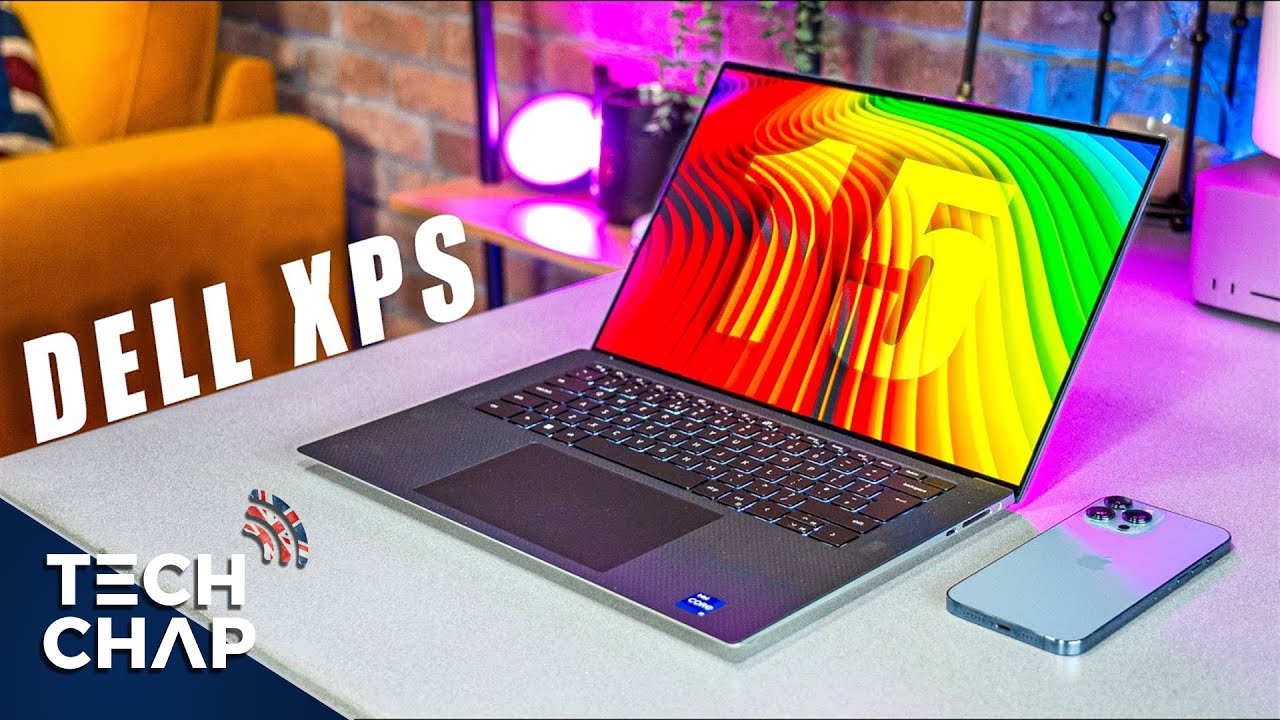
📺 Video review by The Tech Chap
See today’s price and availability
Quick Verdict
Pros
- Stunning 15.6" 3.5K/4K OLED display with HDR400
- Powerful Intel 13th Gen Core i7/i9 processors
- NVIDIA RTX 4050/4060/4070 graphics options
- Premium CNC aluminum and carbon fiber build
- Ultra-thin InfinityEdge bezels (minimal bezels)
- Excellent keyboard and massive glass trackpad
- Three Thunderbolt 4 ports
- Full-size SD card reader (perfect for creators)
- Up to 64GB DDR5 RAM
- Up to 2TB PCIe SSD storage
- 86Wh battery with good life for productivity
- Quad-speaker setup tuned by Waves MaxxAudio
- Compact and portable for a 15-inch laptop
- Responsive performance for creative workflows
Cons
- Only 720p webcam (disappointing for premium price)
- Limited port selection (no USB-A, requires dongle)
- Can run hot under heavy loads
- Battery life drops significantly with intensive tasks
- Expensive, especially higher configurations
- OLED may have burn-in concerns over time
- Thermal throttling can occur during sustained workloads
- No Ethernet port on laptop itself
Technical Specifications
| Specification | Details |
|---|---|
| Display | 15.6" OLED, 3456 x 2160 (3.5K) or 3840 x 2400 (4K), 60Hz, HDR400, 100% DCI-P3 |
| Display (Alternative) | 15.6" FHD+ (1920 x 1200) IPS non-touch (budget option) |
| Processor | Intel 13th Gen Core i7-13700H (14-core, 20-thread) or Core i9-13980HX (24-core, 32-thread) |
| Graphics | NVIDIA GeForce RTX 4050/4060/4070 Laptop GPU (up to 40W), Intel Iris Xe (integrated) |
| Memory | 16GB, 32GB, or 64GB DDR5 RAM (dual-channel) |
| Storage | 512GB, 1TB, or 2TB PCIe 4.0 NVMe SSD (dual M.2 slots) |
| Battery | 86Wh (7-10 hours light use, 3-5 hours intensive tasks) |
| Ports | 3x Thunderbolt 4 (USB-C), 1x SD card reader (full-size), 1x 3.5mm headphone/mic combo |
| Wireless | Wi-Fi 6E (802.11ax), Bluetooth 5.2 |
| Webcam | 720p HD (30fps) with dual-array microphones |
| Audio | Quad-speaker setup (2x 2.5W woofers, 2x 1.5W tweeters), Waves MaxxAudio Pro |
| Keyboard | Backlit chiclet keyboard with 1.3mm key travel |
| Trackpad | Large glass precision touchpad (4.3" x 2.9") |
| Dimensions | 344.7 x 230.1 x 18mm (13.57" x 9.06" x 0.71") |
| Weight | Approx. 1.9 kg (4.2 lbs) |
| Operating System | Windows 11 Pro or Home |
| Build Materials | CNC-machined aluminum chassis, carbon fiber palm rest |
Design and Build Quality: Premium Perfection
The Dell XPS 15 is a masterclass in laptop design. Its CNC-machined aluminum chassis feels rock-solid, with zero flex or creaking. The iconic InfinityEdge display features ultra-thin bezels on all four sides, giving the laptop a modern, sleek appearance that maximizes screen real estate.
At just 18mm thick and weighing 1.9 kg (4.2 lbs), the XPS 15 is impressively compact for a 15-inch laptop. It's portable enough for daily commutes while still housing powerful internals.
The carbon fiber palm rest not only looks premium but stays cool to the touch and resists fingerprints. The overall aesthetic is minimalist and professional, making it suitable for boardrooms or coffee shops alike.
Build quality is exceptional. Every hinge, every seam, every surface feels deliberately crafted. This is a laptop that exudes quality the moment you pick it up.
Stunning OLED Display
The Dell XPS 15's 15.6-inch OLED display is one of the best laptop screens on the market. Available in 3.5K (3456 x 2160) or 4K (3840 x 2400) resolution, it delivers breathtaking clarity and detail.
OLED advantages:
- Perfect blacks with infinite contrast ratio (ideal for creative work)
- Vibrant, accurate colors covering 100% of DCI-P3 color gamut
- HDR400 certification for enhanced dynamic range
- Deep saturation that makes photos, videos, and design work pop
- Wide viewing angles with no color shift
For photographers, videographers, and designers, this display is a dream. Color accuracy is superb out of the box, and the high resolution provides ample screen space for complex timelines, layered compositions, or detailed spreadsheets.
The tradeoff: OLED means potential burn-in over years of use, and battery life takes a hit compared to IPS panels. Dell also offers a FHD+ (1920 x 1200) IPS option for those prioritizing battery over visual fidelity.
Performance: Intel 13th Gen Power
The XPS 15 packs serious power with Intel's 13th Generation processors. The Core i7-13700H (14-core, 20-thread) handles most tasks effortlessly, while the top-tier Core i9-13980HX (24-core, 32-thread) demolishes heavy workloads.
Paired with NVIDIA RTX 40-series graphics (RTX 4050, 4060, or 4070), the XPS 15 excels at:
- Video editing: 4K timeline scrubbing in Premiere Pro and DaVinci Resolve with smooth playback
- 3D rendering: Blender and Cinema 4D benefit from the RTX GPU with CUDA acceleration
- Photo editing: Lightroom and Photoshop handle large RAW files and complex layered projects without lag
- Software development: Compiling code, running virtual machines, and Docker containers run smoothly
- Light gaming: 1080p gaming at 60fps in many AAA titles (though not at max settings)
The up to 64GB of DDR5 RAM ensures excellent multitasking, and the PCIe 4.0 NVMe SSD delivers blazing-fast read/write speeds for file transfers and application launches.
Thermal Performance and Fan Noise
The XPS 15's thin chassis does present thermal challenges. Under sustained heavy loads (rendering, gaming, video encoding), the laptop can get noticeably warm, particularly around the keyboard deck and bottom panel.
The fans spin up audibly when pushed, though they're not excessively loud. For light productivity tasks, the laptop remains whisper-quiet.
Thermal throttling can occur during extended intensive workloads as the system prioritizes temperatures over peak performance. For most users, this is a reasonable tradeoff for the slim form factor.
Keyboard and Trackpad
The backlit chiclet keyboard offers a satisfying typing experience with 1.3mm key travel. Keys are well-spaced, tactile, and responsive, making long typing sessions comfortable.
The massive glass precision trackpad (4.3" x 2.9") is among the best on any Windows laptop. It's smooth, accurate, and supports Windows Precision Drivers for reliable gestures like pinch-to-zoom and three-finger swipes.
For creative professionals, the trackpad's size and responsiveness make it a genuine productivity asset.
Port Selection: Modern but Limited
The XPS 15 embraces modern connectivity with three Thunderbolt 4 ports, all capable of:
- 40 Gbps data transfers
- DisplayPort 1.4 for external monitors (supports dual 4K or single 8K)
- Power Delivery for charging
- Daisy-chaining up to six devices
There's also a full-size SD card reader, a godsend for photographers and videographers who can directly import photos without dongles.
The limitation: No traditional USB-A ports, which means you'll need adapters for older peripherals. Dell includes a USB-C to USB-A adapter in the box, which helps.
Battery Life
The 86Wh battery provides respectable battery life, though it varies significantly based on usage:
- Light productivity (web browsing, documents, light multitasking): 7-10 hours
- Mixed use (some video editing, moderate workload): 5-7 hours
- Intensive tasks (rendering, gaming, video encoding): 3-5 hours
The OLED display is power-hungry, so users prioritizing battery life may prefer the FHD+ IPS option, which can extend runtime by 20-30%.
Fast charging via USB-C Power Delivery allows for quick top-ups when needed.
See today’s price and availability
Audio Quality
The quad-speaker setup with Waves MaxxAudio Pro tuning delivers impressive audio for a laptop. The combination of woofers and tweeters provides balanced sound with decent bass response and clear treble.
Volume gets loud enough to fill a small room, and the speakers handle music, podcasts, and video calls capably. While not replacing dedicated speakers, they're among the best laptop speakers available.
Webcam: A Disappointing Weak Spot
For a laptop priced above $1,299, the 720p webcam is underwhelming. In an era where 1080p webcams are standard on many mid-range laptops, Dell's decision to stick with 720p feels outdated.
The webcam produces grainy, soft images, particularly in low light. For professionals relying on video conferencing, an external webcam may be necessary.
The dual-array microphones perform better, offering clear audio capture for calls and recordings.
For Content Creators
The Dell XPS 15 is purpose-built for content creation:
Video Editors: The OLED display's color accuracy and RTX graphics accelerate timeline scrubbing and effects rendering. The SD card reader streamlines importing footage.
Photographers: The 100% DCI-P3 color gamut ensures accurate color grading. Large RAW files load and edit smoothly with ample RAM.
Graphic Designers: The high-resolution display provides pixel-perfect precision for design work. Adobe Creative Cloud applications run flawlessly.
3D Artists: CUDA-enabled RTX graphics accelerate rendering in Blender, Maya, and 3ds Max.
Comparison: Dell XPS 15 vs. MacBook Pro 14" (M5)
| Feature | Dell XPS 15 | MacBook Pro 14" M5 |
|---|---|---|
| Display | 15.6" OLED, 3.5K/4K | 14.2" Liquid Retina XDR |
| Processor | Intel 13th Gen i7/i9 | Apple M5 (10-core) |
| Graphics | RTX 4050/4060/4070 | M5 integrated GPU |
| OS | Windows 11 | macOS Sequoia |
| Battery Life | 7-10 hours | 15-24 hours |
| Starting Price | $1,299 | $1,599 |
| Best For | Windows users, OLED fans | macOS ecosystem, battery life |
Who Should Buy the Dell XPS 15?
✅ Perfect For:
- Content creators (video editors, photographers, designers)
- Windows users wanting a premium laptop
- Professionals needing color-accurate displays
- Those who prioritize display quality (OLED)
- Users needing discrete NVIDIA graphics for creative software
- Software developers and engineers
- Business professionals wanting a portable workstation
❌ Consider Alternatives If:
- You prioritize battery life above all (consider MacBook Pro or XPS FHD+ model)
- You need the best webcam for frequent video calls
- You're on a tight budget (XPS 15 is premium-priced)
- You prefer macOS or Linux (though Linux can be installed)
- You need maximum sustained performance (thermal limits may frustrate power users)
Frequently Asked Questions
Is OLED worth it on the XPS 15?
Yes, if you value visual quality. The OLED provides stunning colors, perfect blacks, and is ideal for creative work. However, if battery life is critical, the FHD+ IPS option lasts longer and costs less.
Can the XPS 15 handle gaming?
Yes, moderately. The RTX 4050/4060/4070 can run most games at 1080p with 60fps on medium-to-high settings. However, it's not a dedicated gaming laptop, and thermals may limit sustained performance.
How does it compare to the MacBook Pro?
The XPS 15 offers Windows compatibility, OLED display options, and discrete NVIDIA graphics. The MacBook Pro has better battery life, quieter operation, and seamless macOS ecosystem integration. Choose based on your OS preference and workflow.
Is the 720p webcam really that bad?
It's serviceable but disappointing for a premium laptop. It works fine for casual video calls but produces grainy images in low light. If webcam quality matters, consider an external 1080p or 4K webcam.
Can I upgrade the RAM and storage?
No, the RAM is soldered. However, the XPS 15 has dual M.2 slots, so you can upgrade or add storage yourself. Choose your RAM configuration carefully at purchase.
Does it come with a USB-C charger?
Yes, Dell includes a USB-C Power Delivery charger (usually 130W). You can also charge via any Thunderbolt 4 dock or compatible USB-C charger, though lower-wattage chargers may charge slowly.
Final Verdict
The Dell XPS 15 is a phenomenal laptop that balances performance, portability, and premium design. Its stunning OLED display is among the best in any laptop, making it a dream for creative professionals. The powerful Intel 13th Gen processors and NVIDIA RTX graphics handle demanding workloads with ease.
The premium build quality, excellent keyboard and trackpad, and thoughtful design make daily use a pleasure. While it's expensive and has a few quirks (720p webcam, thermal limits), these are minor blemishes on an otherwise outstanding package.
For Windows users seeking a powerful, portable, and beautiful laptop for content creation, software development, or professional work, the Dell XPS 15 is one of the best choices available. It's not perfect, but it comes closer than most.
Rating: 4.7/5 The Dell XPS 15 delivers premium performance and stunning visuals in a beautifully crafted package, held back only by minor thermal concerns and an outdated webcam.
Availability
View on AmazonSee today’s price and availability
As an Amazon Associate, we earn from qualifying purchases.