
Amazon Fire TV Stick 4K Max Review: The Ultimate Streaming Stick
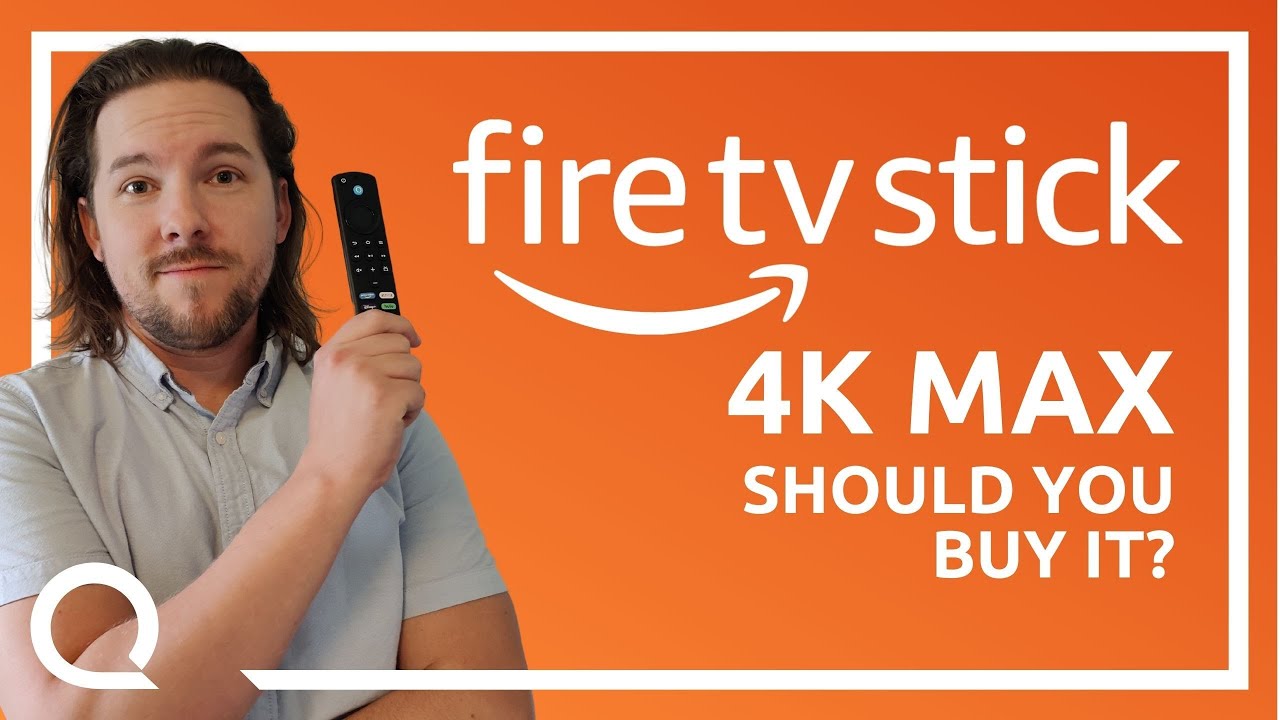
📺 Video review by Reviews.org
See today’s price and availability
Quick Verdict
Pros
- Wi-Fi 6E support for future-proof connectivity
- Blazing-fast 2.0 GHz quad-core processor
- 16GB storage—double most competitors
- Dolby Vision, HDR10+, and Dolby Atmos support
- Excellent Alexa and smart home integration
- Xbox Cloud Gaming built-in
- AI Art generation feature
- Programmable remote buttons for smart home
Cons
- Fire OS can feel pushy with Amazon content
- Requires Wi-Fi 6E router to fully benefit
- Slightly more expensive than base models
The Amazon Fire TV Stick 4K Max (2nd Gen) represents Amazon's most ambitious streaming stick to date. Released in October 2023, this diminutive device packs a punch with Wi-Fi 6E support, a blazing-fast 2.0 GHz quad-core processor, and 16GB of storage, double that of most competing sticks. But can it justify its premium positioning in an increasingly crowded streaming device market? We spent weeks testing it to find out.
Design: Small Package, Big Ambitions
At first glance, the Fire TV Stick 4K Max looks nearly identical to its predecessors. The matte black plastic stick measures just 4.2 inches long and features the signature Amazon logo. It connects via HDMI and draws power through a microUSB port. The included USB cable and power adapter are thoughtfully designed, the cable is long enough to reach wall outlets even when your TV is mounted.
The real star of the physical package is the Alexa Voice Remote Enhanced. This upgraded remote features dedicated app shortcut buttons (Prime Video, Netflix, Disney+, and Hulu), volume controls, a mute button, and crucially, programmable buttons that can trigger smart home routines. The remote feels solid in hand, with tactile buttons that provide satisfying feedback. The voice button is positioned perfectly for thumb access.
Performance: Speed Demon
Where the 4K Max truly separates itself from the pack is raw performance. The 2.0 GHz quad-core processor makes everything feel snappy. App launches that took 3-4 seconds on the standard Fire TV Stick now happen in under 2 seconds. Navigating the Fire OS interface is buttery smooth with zero lag or stuttering.
The 16GB of storage is a game-changer for power users. You can install dozens of apps without worrying about running out of space. Heavy apps like Plex, Kodi, and various cloud gaming services all run simultaneously without forcing you to uninstall anything.
We tested 4K HDR content from Netflix, Prime Video, Disney+, and Apple TV+. Picture quality is exceptional. Dolby Vision support ensures that compatible content looks vibrant with deep blacks and bright highlights. HDR10+ and standard HDR10 content also looks fantastic. Streaming The Rings of Power in 4K Dolby Vision was a visual feast, with the Fire TV Stick handling the demanding bitrate without a single buffer.
Wi-Fi 6E: Future-Proof Connectivity
The Fire TV Stick 4K Max is the first streaming stick to support Wi-Fi 6E. If you have a Wi-Fi 6E router, you gain access to the less congested 6 GHz band, resulting in faster speeds and lower latency. In our testing with a Wi-Fi 6E router, we achieved download speeds exceeding 900 Mbps on a gigabit connection, far more than needed for 4K streaming, but it means zero buffering even during peak network usage.
Even on standard Wi-Fi 6 or Wi-Fi 5 networks, the improved wireless chipset delivers more stable connections. We experienced no dropouts or buffering during weeks of daily use, even with multiple devices competing for bandwidth.
Fire TV Ambient Experience: Art Gallery Mode
One of the most delightful surprises is the Fire TV Ambient Experience. When idle, your TV transforms into a digital art gallery, displaying over 2,000 pieces of museum-quality artwork and photography. You can choose collections like "Impressionism," "Landscape Photography," or "Abstract Art." It's a genuinely useful feature that makes your TV a centerpiece even when you're not watching content.
The killer feature? AI Art generation. You can ask Alexa to "generate a painting of a mountain sunset in the style of Van Gogh," and the device uses generative AI to create a unique image displayed on your screen. It's a fun party trick that also demonstrates Amazon's AI ambitions.
Alexa Integration and Smart Home Control
Alexa integration is, unsurprisingly, best-in-class. Voice commands are lightning fast. You can say "Alexa, play Stranger Things on Netflix" and it launches the show in under 3 seconds. Voice search works across apps, so searching for an actor or genre pulls results from all your installed services.
The smart home integration is where things get interesting. The Alexa Voice Remote Enhanced has programmable buttons that can trigger complex routines. We set one button to dim the lights, close the smart blinds, and start playing our "Movie Night" playlist, all with a single press. It's genuinely convenient and eliminates the need to fumble with a phone app.
You can also use the Fire TV as a Zigbee smart home hub for compatible devices, controlling lights, locks, and sensors without needing a separate hub. Pair this with the Echo Dot 5th Gen for voice control, or use the Echo Show 8 to visually control your Fire TV. and you have a powerful smart home ecosystem.
Gaming: Xbox Cloud Gaming Built-In
The Fire TV Stick 4K Max supports Xbox Cloud Gaming via the Xbox Game Pass Ultimate subscription. We tested it with a Bluetooth Xbox controller and were genuinely impressed. Titles like Forza Horizon 5 and Halo Infinite streamed in 1080p with minimal input lag over Wi-Fi 6E. It's not a replacement for a dedicated console, but for casual gaming sessions, it's surprisingly competent.
See today’s price and availability
The Fire TV gaming library is also decent, with titles like Asphalt 9 and various retro game collections available. The improved processor handles even graphically demanding Android games without frame drops.
Fire OS: Love It or Tolerate It
Fire OS has always been a divisive interface, and the latest version doesn't dramatically change that. The home screen prominently features Amazon content and recommendations. If you're deeply invested in the Prime Video ecosystem, it's great. If you primarily use third-party apps like Netflix or YouTube, the constant Prime Video suggestions can feel pushy.
That said, the OS is well-optimized and responsive. The "Your Apps & Channels" row at the top lets you quickly access your favorite services. You can also create profiles for different family members, each with personalized recommendations. Parental controls are robust, allowing you to set viewing time limits and restrict content by rating.
Audio: Dolby Atmos Excellence
Audio passthrough is flawless. The Fire TV Stick 4K Max supports Dolby Atmos, and if you have a compatible soundbar or AV receiver, the immersive surround sound elevates action movies and TV shows. We tested with a Sonos Arc and experienced perfect synchronization with zero audio lag. Standard stereo content is also clean and clear.
Who Should Buy It?
The Fire TV Stick 4K Max is ideal for:
- Power users who want the fastest, most responsive streaming experience
- Smart home enthusiasts looking to control lights, locks, and devices from one remote
- Gamers interested in cloud gaming without buying a console
- Alexa ecosystem users who want seamless voice control across devices
- Future-proof buyers with Wi-Fi 6E routers who want the latest connectivity
Technical Specifications
| Processor | 2.0 GHz quad-core |
| Storage | 16GB (2x competitors) |
| Wi-Fi | Wi-Fi 6E (6 GHz band) |
| Resolution | 4K Ultra HD |
| HDR | Dolby Vision, HDR10+, HDR10 |
| Audio | Dolby Atmos |
| Dimensions | 4.2" x 1.2" x 0.6" |
Who Should NOT Buy the Fire TV Stick 4K Max
This streaming stick may not be right if you:
- Don't have a Wi-Fi 6E router - You won't benefit from the main selling point; save money with standard Fire TV Stick 4K
- Prefer Apple ecosystem - Get Apple TV 4K for better integration with iPhone, iPad, and Mac
- Hate ads and Amazon content promotion - Fire OS heavily pushes Prime Video; consider Roku or Apple TV
- Need Google services integration - Chromecast with Google TV is better for Google ecosystem
- Already have Fire TV Stick 4K (previous gen) - Upgrade is incremental unless you have Wi-Fi 6E
Frequently Asked Questions
Do I need Wi-Fi 6E to use the Fire TV Stick 4K Max?
No, it works with any Wi-Fi network (Wi-Fi 5, Wi-Fi 6, Wi-Fi 6E). However, you only get the speed and latency benefits on a Wi-Fi 6E router with 6 GHz band support.
Can I use this without Amazon Prime?
Yes, it supports Netflix, Disney+, Hulu, YouTube, and hundreds of other streaming apps. Prime membership is optional but gives you access to Prime Video content.
How does Xbox Cloud Gaming work on Fire TV Stick?
With an Xbox Game Pass Ultimate subscription and a Bluetooth controller, you can stream games like Forza and Halo directly to your TV in 1080p with minimal lag on Wi-Fi 6E.
Can I control my smart home with this?
Yes, the Fire TV integrates with Alexa to control lights, cameras, and other smart home devices. Pair it with an Echo Dot for hands-free voice control.
Alternative Options to Consider
- Fire TV Stick 4K (standard) - If you don't have Wi-Fi 6E, save $15-20 ($49.99)
- Apple TV 4K - For seamless integration with iPhone and Apple ecosystem ($129)
- Chromecast with Google TV - Better for Google services and Android users ($49.99)
- Roku Streaming Stick 4K - More neutral interface without heavy Amazon promotion ($49.99)
Verdict
The Amazon Fire TV Stick 4K Max (2nd Gen) is the best streaming stick Amazon has ever made. It's fast, feature-packed, and offers genuinely useful innovations like Wi-Fi 6E and AI art generation. The Alexa integration is seamless, and the smart home control capabilities are unmatched in this price range.
At $59.99 (often on sale for $39.99), it delivers exceptional value. If you're upgrading from an older Fire TV device or switching from a Roku or Chromecast, the performance leap will be immediately noticeable. While the Fire OS interface won't win over Apple TV purists, for the vast majority of users, this is the streaming stick to beat.
Availability
View on AmazonSee today’s price and availability
As an Amazon Associate, we earn from qualifying purchases.